Invite friends, download receipts, and meet dark mode
Have your group join your Private ride with all the trip details in one place, download PDF receipts for past trips, and meet dark mode.
Hitch
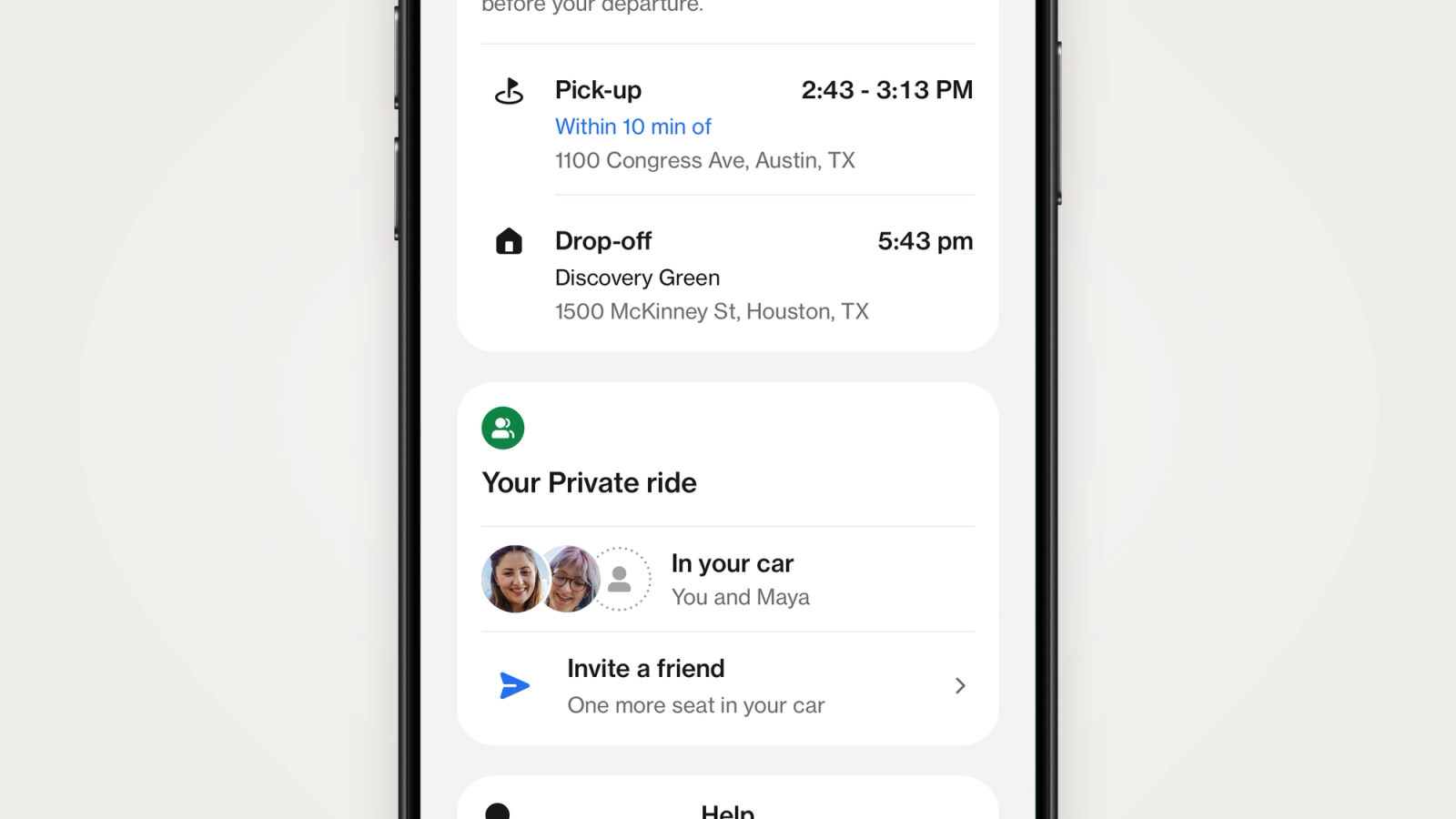
Have your group join your Private ride with all the trip details in one place, download PDF receipts for past trips, and meet dark mode.
Here's what's new in the Hitch app.
Invite friends to your Private ride
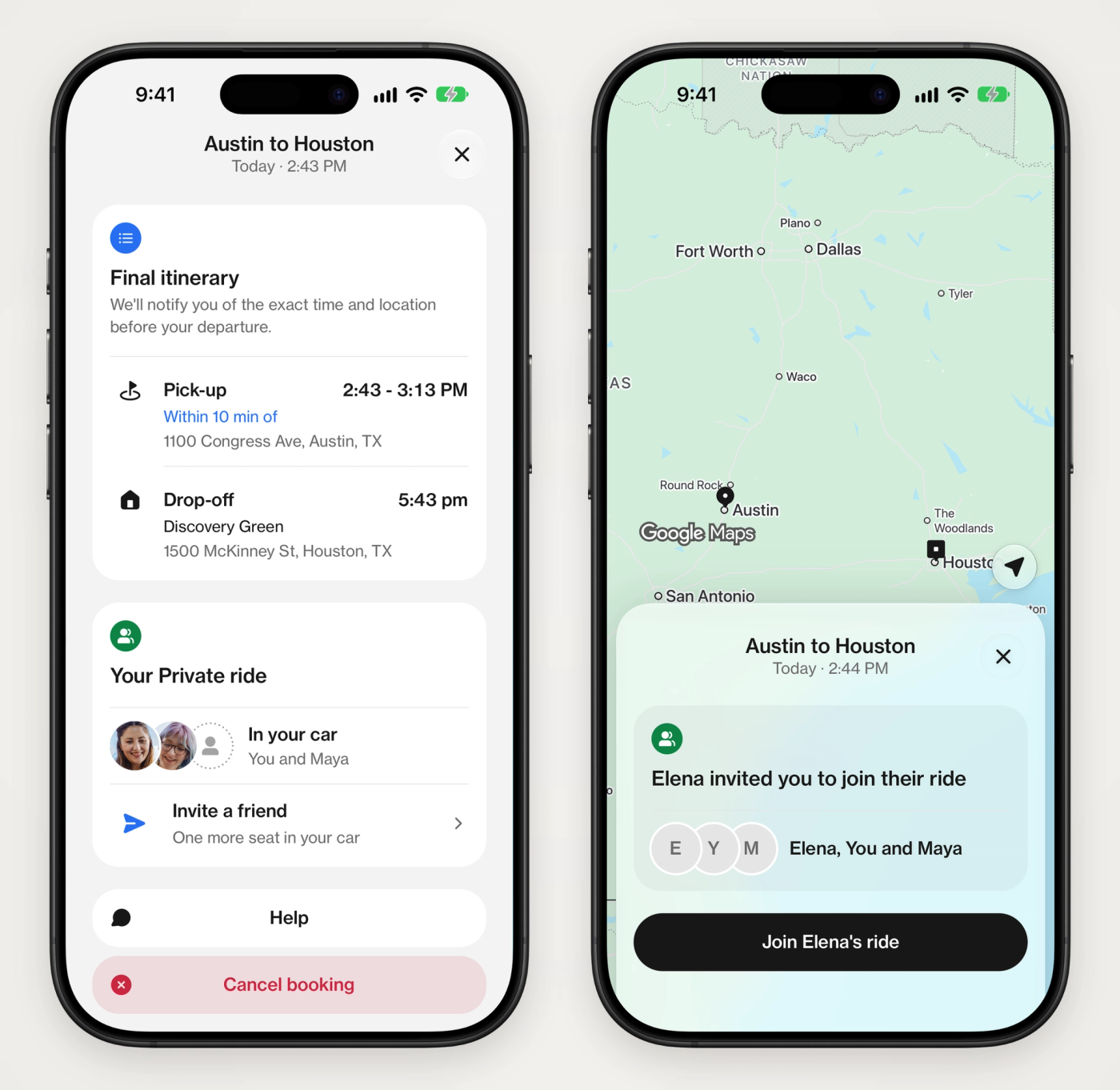
Riding with friends used to mean forwarding the pickup time and address to everyone yourself. Now they can join your Private ride in the Hitch app and see every detail for themselves.
- Invite from your trip: Open your Private ride, tap Invite a friend, and send the link however you like.
- They join in a tap: The link opens your ride in the Hitch app, where your friend taps Join. If they don't have the app yet, the link takes them to download it first.
- Everyone has the whole trip: Your friends see the pickup, the drop-off and the times in their own app.
- See who's coming: Each friend appears in your car as they join, along with any open seats.
- You stay in charge of the booking: Only you can change or cancel it. A friend whose plans change can leave the ride.
Get PDF receipts for past trips
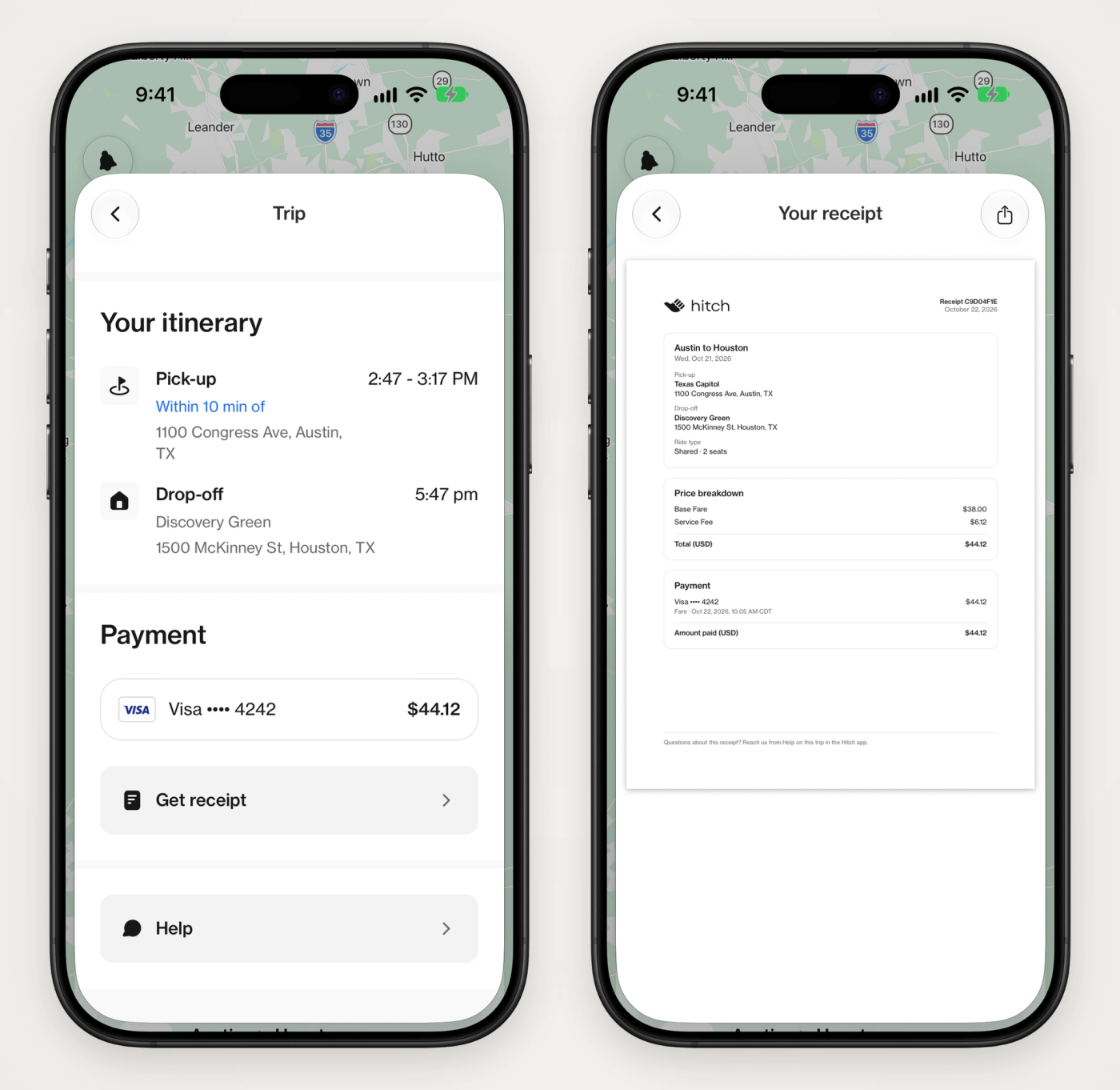
- See what you paid: Open a completed trip in Past trips to see the amount you paid and the card it was charged to.
- Download a PDF receipt: Tap Get receipt for a PDF with your route, each charge, and the total you paid.
- Ready to expense: Save it, print it, or share it straight from the receipt.
PDF receipts are available on iOS. On Android, you can still see what you paid on each past trip.
Meet dark mode
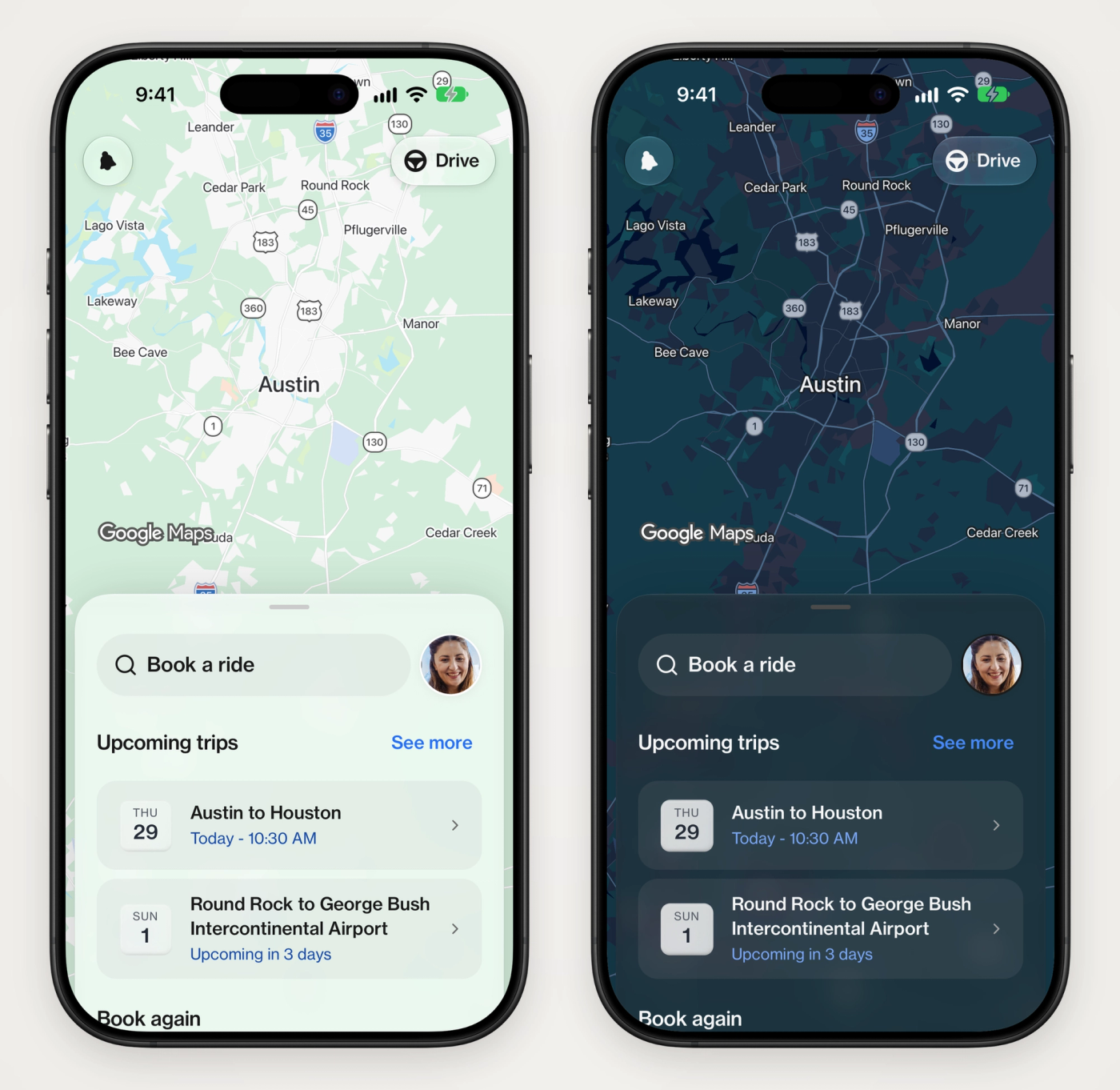
- Follows your phone: The app matches your phone's light or dark setting on its own.
- Or choose for yourself: Open the menu in the app and go to Settings, then Appearance, to pick Light, Dark, or System.
- Maps included: The map switches to a dark style along with the rest of the app.
Available now
These updates are available now on iPhone and Android. Update the Hitch app to see them.